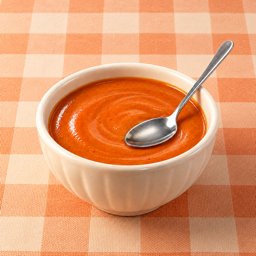
The image is only part of the meal
A camera records a view, not the recipe. Similar shapes and colors can belong to different foods, and a mixed dish can hide ingredients under the surface. Packaging may be unreadable, reflections can cover labels and one plate may overlap another. A more informative image helps you review the result, but it does not make recognition certain.
Different tasks need different image context
Tablumi’s meal-recognition workflow can prepare an isolated food area for the AI image while letting you review the upload scope. The saved diary photo can use a different presentation. Fridge scanning and menu recognition need the surrounding scene and do not use that same meal cutout rule. If extraction fails, that is not permission to silently upload the original meal photo.
Cloud recognition is an explicit choice
The cloud tool requires eligible access and permission for cloud processing. See Pricing & AI credits for daily free use, credit costs and Pro access. It sends the input needed for the selected request through the Tablumi service to the configured AI provider. Normal diary photo capture does not use this cloud workflow. Local background removal is image processing on your device, not a claim that the food has been identified locally.
Recognition is not weighing
Even a correct dish name leaves important uncertainties: the recipe, the amount served and ingredients such as oil or sauce. A precise-looking number is not evidence of a precise input. Check any recognized food and portion information before using estimates. If important information is missing, do not treat a partial result as a measured total for the entire meal.
Review the result against what you know
Compare the suggested names with the visible food, recipe, menu or packaging. Correct errors and leave uncertain details unresolved rather than guessing for the sake of completeness. A scan cannot certify allergen absence or food safety. If the goal is simply to remember a meal, keeping a local photo and a short note may be more useful than requesting recognition.
About this explanation
This guide describes Tablumi’s meal-photo and cloud-permission workflow as reviewed on 12 September 2026. It does not report an independent model accuracy benchmark, a medical validation study or a guarantee of a specific provider’s behavior. Features may vary with the app version. The linked AI and data page explains the separate local, iCloud and cloud-AI paths.
This page explains current product behavior, not medical advice. How we review these guides · AI and data details · Ask for help