
A calmer answer to “what should I eat?”

Dinner,
decided.

Scan what you have. Get a useful suggestion. Shape a realistic week. Remember the meals worth repeating.

iPhone · iPad · Apple Watch · iOS 17+

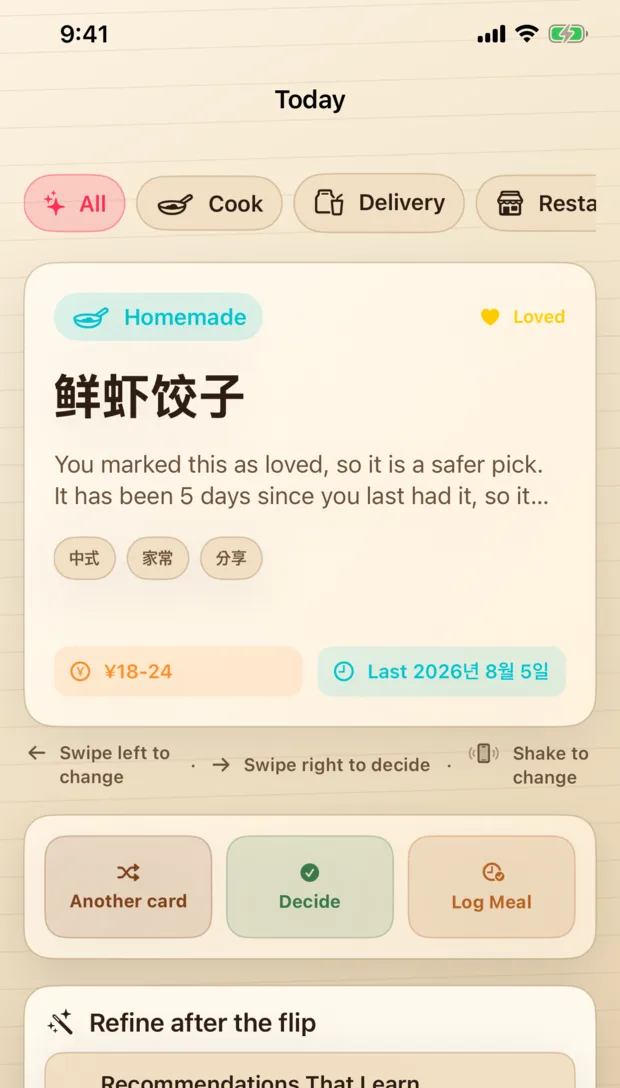
Tablumi Today screen showing a recommended meal
TodayLess guessing
ReasonLoved · 5 days ago
Local by defaultCore data stays on your device.
Your call on cloud AIOptional features explain what is sent.
Built for daily useFast decisions, not another admin tool.

From fridge to table

One bright thread through the whole meal.

Tablumi connects the moment you notice what you have with the moment you decide, shop, cook, and look back.

  1. 01

    Scan

    See the fridge clearly.

    Select a photo, review the detected ingredients, and keep only what is right.

  2. 02

    Confirm

    You stay in control.

    Edit names, remove mistakes, and choose whether an optional cloud feature should help.

  3. 03

    Decide

    Get a reason, not a roulette wheel.

    Mode, meal, mood, favorites, recent history, and feedback shape the result.

  4. 04

    Plan

    Turn one answer into a week.

    Keep the plan realistic, then carry the ingredients into one grocery list.

  5. 05

    Remember

    Make good dinners easier to repeat.

    Log what you ate, what it cost, and what was genuinely worth having again.

A small decision system

Useful at every point where dinner usually stalls.

No single feature has to carry the whole routine. Each part hands useful context to the next.

Fridge Scan

Start with what is already there.

Review recognition results before they enter your pantry. Packaging text, quantity, and weights can be wrong; Tablumi keeps the correction step visible.

  • On-device path where available
  • Optional Cloud AI only when allowed
  • No raw AI photo storage by the Tablumi Worker
Tablumi meal recommendation interface

Recommendations

A suggestion that knows why it belongs.

Favorites, meal timing, cooking mode, recent meals, and “not this” feedback combine into a weighted local decision — with enough explanation to trust or change it.

✓ Loved↺ Not recent⌂ At home◷ Dinner

Weekly plan + grocery

Make the week believable.

Plan only the meals you need. Swap a day without rebuilding everything, then collect the missing ingredients in one list.

MonTomato egg rice
TueTom yum soup
WedPantry pasta
ThuFree night
FriTwice-cooked pork
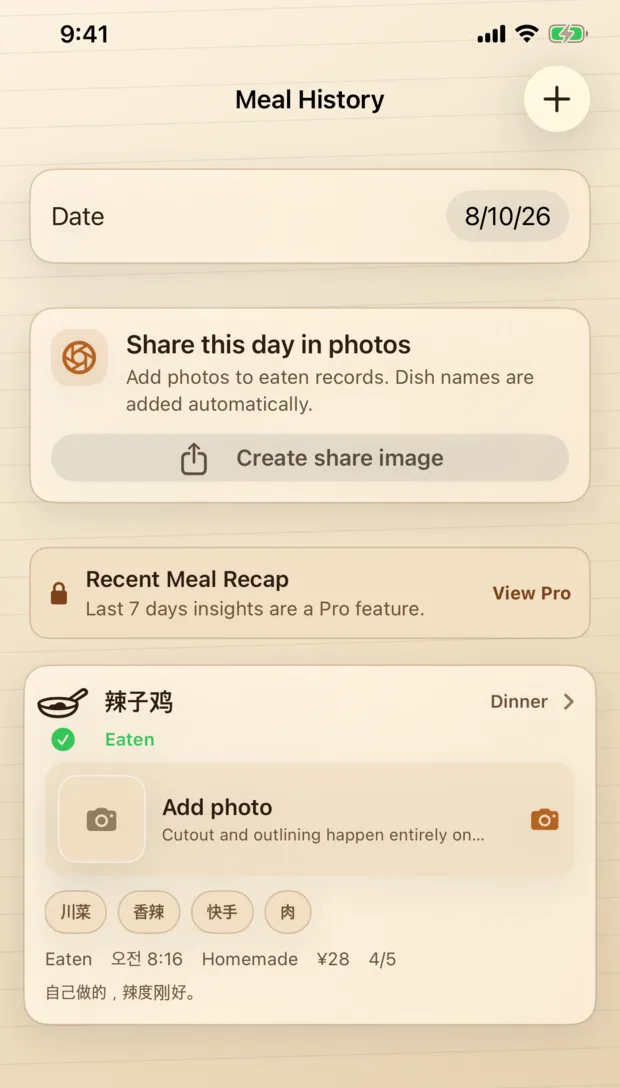
Tablumi meal diary interface

Meal diary

Keep a useful memory, not a perfect streak.

Record a decision or a meal, cost, rating, and optional photo. Insights summarize patterns without pretending to be medical advice.

Read the accuracy limits

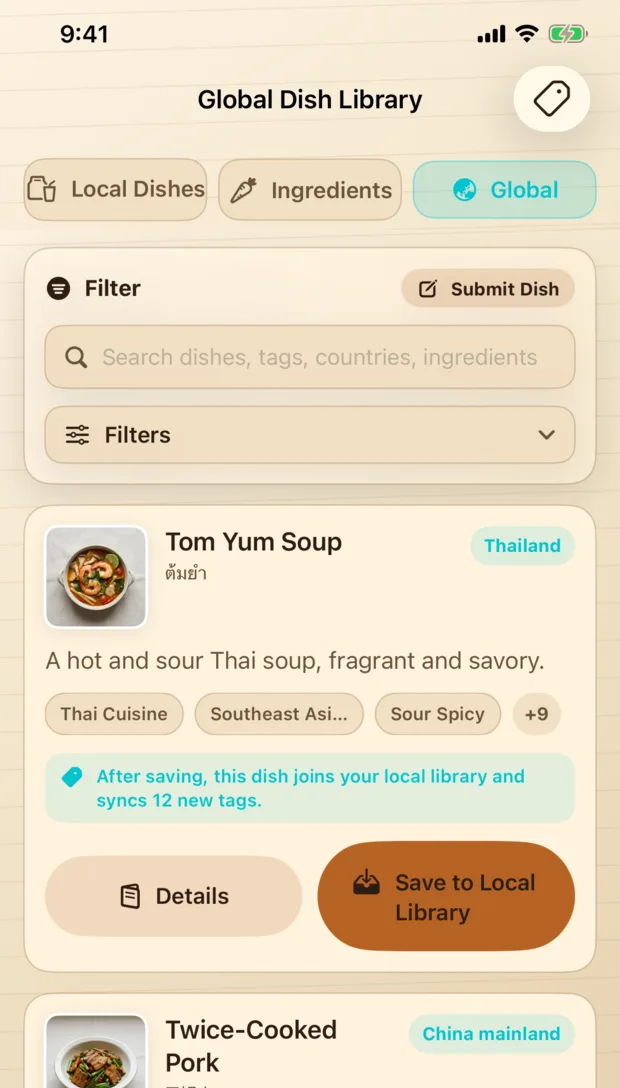
Global dish library

When your routine needs a wider horizon.

Explore dishes by country, tags, and ingredients, then save a good fit into your own local library.

Tablumi global dish library interface

AI, explained without fog

Your food data is not a magic trick.

Tablumi separates local storage, optional private iCloud sync, Apple processing, and Tablumi Cloud AI so you can understand what happens before choosing a feature.

LOCAL

Local by default

Core data uses SwiftData on your device. No account is required for the core app.

OPTIONAL

Private iCloud sync

If enabled, CloudKit stores data in your private Apple database.

YOUR CHOICE

Cloud AI when allowed

Only the input needed for the requested feature is sent. Results can be wrong and should be reviewed.

Product tour

Warm, direct, and made to be opened every day.

Tablumi recommendation card
Decide with context
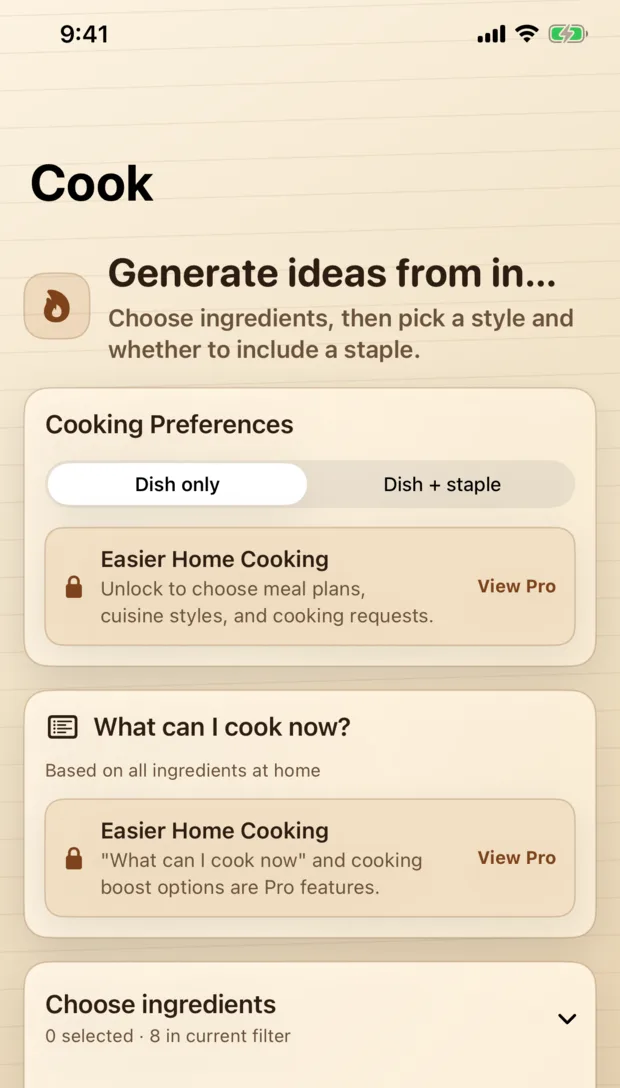
Tablumi cooking ideas
Cook from what you have
Tablumi global dish library
Discover something new

Before you download

Good questions deserve plain answers.

Does Tablumi need an account?

No. Core features work without sign-in. Some optional services use an anonymous App Attest-backed session, not a user account.

Where is my data stored?

Core data is local by default. If you enable iCloud sync, data is stored in your private CloudKit database. Saved diary photos remain until you delete them.

Is ingredient recognition always correct?

No. Images, packaging text, quantities, and nutrition estimates may be wrong. Review ingredients, allergens, food condition, and safety yourself.

Which devices are supported?

The current app supports iPhone and iPad on iOS/iPadOS 17 or later, plus Apple Watch experiences on watchOS 10 or later.

How do I manage or delete my data?

Use the data controls in Settings for local data and backups. See the data deletion guide for local, iCloud, diary, and purchase distinctions.

How can I contact support?

Email support@tablumi.com. Do not send passwords, full purchase receipts, health information, or private photos unless specifically needed and chosen by you.

The next meal can be simpler

Open the fridge. Find the thread.

Tablumi is available on the App Store for Apple platforms.